


AI Photo Editor - PhotoArt
4.0983.00 Reviews
App Specs
- Version
- 1.9.15
- Updated On
- License
- Free
- Downloads
- 1,000,000+
- Developer
- Magic Photo Collage & Photo Editor - CollageArt
- Categories
- Photography
- Platform
- Android
Screenshots
 Analysis by AppCompare
Ever stumbled upon an app that makes you go, "Wow, how did I live without this?" Well, AI Photo Editor - PhotoArt might just be that app for all you photography enthusiasts out there. I've been playing around with it for a few days, and here's the lowdown on what makes it tick.
Getting Started with AI Magic
First things first, downloading and setting up AI Photo Editor - PhotoArt is a breeze. Available on both Android and iOS, it’s pretty lightweight, so you won’t be draining your phone’s storage. Once installed, the interface welcomes you with a clean and intuitive design. No endless tutorials or intimidating features—just straightforward options to dive into.
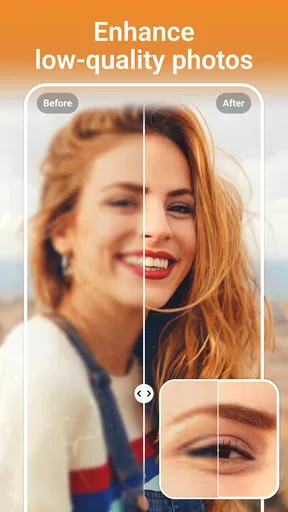
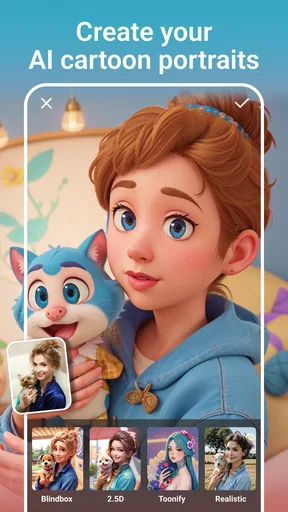
The app's core strength lies in its AI capabilities. With a single tap, you can transform ordinary pictures into stunning artwork. Whether it's enhancing colors, correcting exposure, or adding dramatic effects, the AI does a lot of the heavy lifting, making photo editing feel almost magical.
Features That Stand Out
Now, let’s talk about the features that make this app a standout. One of my favorites is the AI-based filters. These filters are not your usual run-of-the-mill options. They’re designed to adapt to the specific photo you’re working with, providing a unique touch every time. It’s like having a personal artist at your fingertips.
Another cool feature is the auto-enhance tool. I tried it on a few dull photos and was genuinely impressed by how it brought out the details and colors. The app analyses the image and makes adjustments that would typically take a lot of manual tweaking. It's perfect for those quick edits when you want to spice up your pics without diving into complex adjustments.
Editing Made Easy
PhotoArt isn’t just about filters and enhancements; it also offers powerful editing tools that cater to both beginners and seasoned editors. You can crop, rotate, and adjust your images with precision. What’s really impressive is the ease of use. The tools are well-laid-out, and even if you’re not familiar with photo editing, you’ll find your way around in no time.
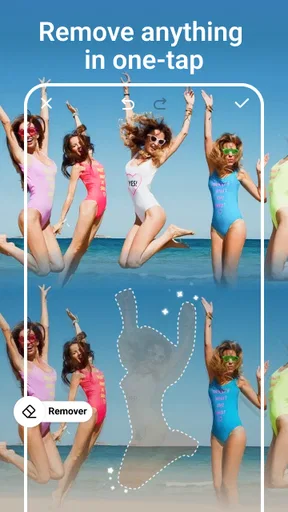
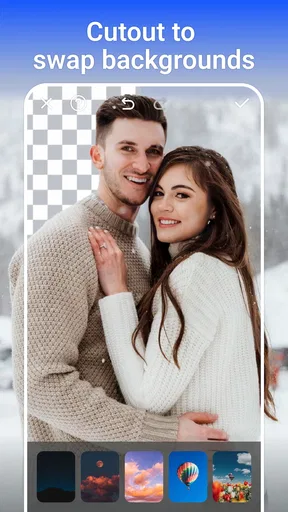
The app also packs a punch with its background removal feature. With just a couple of taps, you can isolate subjects and get rid of unwanted backgrounds. It’s not 100% perfect every time, but when it works, it works like a charm. If you’re into creating memes or social media posts, this is a handy tool to have.
Worth Reading Before You Choose

EA SPORTS FC Mobile 26 Is a Bigger Football Game, but It Takes Time

Flipboard Shows What News Apps Must Do Beyond the Feed

Switching to Android Auto Means Rethinking Your Driving Routine

Google Calendar Makes a Crowded Week Easier to Manage

Ludo King Makes the Most of the Minutes Between Plans

Baby Panda World Brings Quick Play to Modern Phones, but Its Game Library Feels Busy
Creative Possibilities
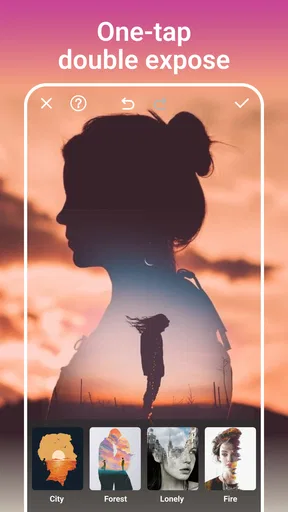
For the creatively inclined, AI Photo Editor - PhotoArt offers a variety of artistic effects. From turning your photos into sketch drawings to giving them a watercolor look, the creative options are vast. Each effect can be customized, allowing you to adjust intensity and blend modes. It's a playground for anyone looking to add a personal touch to their images.
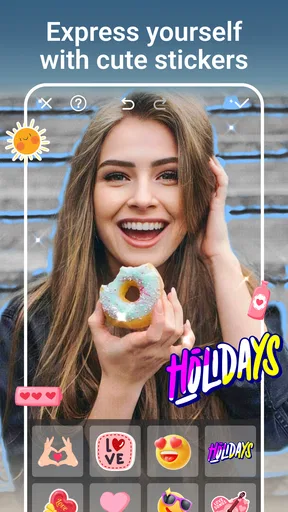
Another nifty feature is the text overlay option. You can add quotes, captions, or even meme texts to your photos. The fonts and styles are diverse, and the text can be easily repositioned and resized. Whether you’re creating a birthday card or a social media post, this feature adds a nice touch.
Sharing and Saving
Once you’ve created your masterpiece, sharing it is straightforward. The app allows direct sharing to popular social media platforms like Instagram, Facebook, and Twitter. You can also save your edits in high resolution, which is great if you plan to print them or use them in other projects.
One thing I appreciated is the option to export images in different file formats. Whether you need a JPEG for online sharing or a PNG for printing, the app has got you covered. The export quality is impressive, retaining the details and colors of your edits.
The Final Verdict
In the crowded world of photo editing apps, AI Photo Editor - PhotoArt manages to stand out with its user-friendly interface and powerful AI-driven features. It's not just an app for quick fixes; it’s a tool that opens up creative possibilities for anyone willing to experiment with their photos.
Whether you’re a social media enthusiast, a budding photographer, or just someone who loves to play around with images, this app offers something for everyone. It’s a solid addition to your app arsenal, making photo editing less of a chore and more of an enjoyable experience. So, if you haven’t tried it yet, give it a go—you might just find your new favorite editing companion.
Pros
- Intuitive interface for quick edits.
- Offers a wide range of artistic filters.
- Supports high-resolution photo exports.
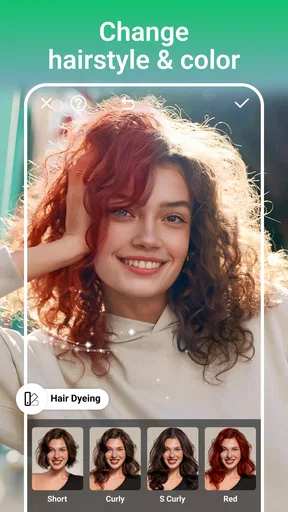
- Includes a variety of retouching tools.
- Regular updates with new features.
Cons
- Free version has limited features.
- Consumes significant battery power.
- Occasional lag on older devices.
- Ads can be intrusive during editing.
- Requires internet for some features.
FAQs for AI Photo Editor - PhotoArt
What features does AI Photo Editor - PhotoArt offer?
AI Photo Editor - PhotoArt provides a wide range of features including AI-powered enhancements, filters, and effects that can transform your photos. It also offers tools for retouching, background removal, and artistic styles to give your images a unique look. Additionally, the app supports high-resolution editing and batch processing.
Is AI Photo Editor - PhotoArt free to use?
AI Photo Editor - PhotoArt offers a free version with limited features. However, for access to premium features and advanced tools, there is a subscription-based model. Users can choose between monthly or yearly plans, and often, a free trial is available to explore the app's capabilities before committing to a subscription.
How user-friendly is AI Photo Editor - PhotoArt for beginners?
AI Photo Editor - PhotoArt is designed with a user-friendly interface that caters to both beginners and advanced users. It includes tutorials and guided edits, making it easy for newcomers to navigate and utilize the app's features effectively. The intuitive design ensures a smooth editing experience without requiring extensive editing knowledge.
Can I use AI Photo Editor - PhotoArt offline?
While some basic features of AI Photo Editor - PhotoArt can be used offline, many of the AI-driven and cloud-based features require an internet connection. To access the full range of capabilities and ensure optimal performance, it’s recommended to use the app while connected to the internet.
What devices are compatible with AI Photo Editor - PhotoArt?
AI Photo Editor - PhotoArt is available for both Android and iOS devices. It supports a wide range of smartphones and tablets, ensuring compatibility with most modern devices. To enjoy the best experience, it's advised to use the app on devices running the latest operating system versions.


